China Best Thermoforming How to Control Temperature?

Time:2026-09-11 Author:Madeline
0%

Thermoforming quality often begins with temperature control, not tooling alone. A heated plastic sheet may look uniform while its center remains cooler than its edges. That difference can create thin corners, cloudy surfaces, weak ribs, or uneven wall thickness. This guide examines how to control temperature in thermoforming processes with practical attention to real production conditions. It focuses on heating zones, sheet temperature, forming speed, cooling, and measurement methods.

Experienced operators know that the displayed heater setting is only a reference. Infrared thermometers, thermal cameras, and test samples can reveal what the control panel misses. In Chinese thermoforming production, machine design, material choice, and workshop conditions may change the correct settings. PET, PP, PS, and ABS each respond differently. A setting suitable for one polymer may damage another.

Small details matter. Check the sheet after heating, not only before forming. Watch for glossy patches, sagging edges, or uneven stretching. Record temperatures, cycle times, and defect patterns. Reliable manufacturers usually combine calibrated sensors with controlled trials and documented process limits. However, no single temperature chart fits every machine. That assumption deserves review. Even experienced teams may adjust settings repeatedly when humidity, sheet thickness, or mold ventilation changes.

The following discussion explains temperature control from preparation through cooling. It also considers common mistakes, practical troubleshooting, and equipment features worth evaluating. The goal is not to promise perfect results. It is to build a repeatable process that operators can measure, question, and improve. Temperature control is a moving target. A careful method remains more valuable than a confident guess.
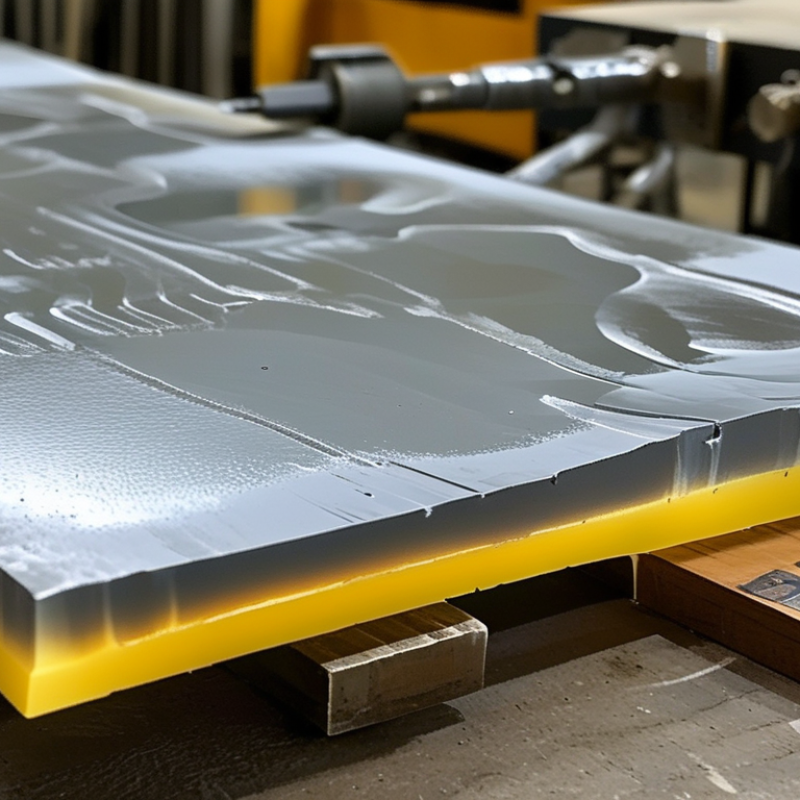
China Best Thermoforming How to Control Temperature?

Thermoforming Temperature Control: Core Principles and Goals

China Best Thermoforming: How to Control Temperature?

Thermoforming temperature control begins with the sheet, not the machine display. The core goal is even softening across the entire forming area. ISO 291:2008 recommends conditioning plastics at 23 ± 2°C and 50 ± 10% relative humidity before testing. This matters because moisture and room temperature can change forming behavior. A cold corner may stretch poorly, while an overheated center can become thin and weak.

Measure the sheet directly.

Use infrared sensors, surface probes, and regular calibration checks. Heating zones should be adjusted according to actual surface temperature, not only setpoints. Many common materials soften within broad temperature windows, but each grade behaves differently. Polypropylene, for example, usually requires a higher forming range than amorphous materials. The Plastics Industry Association’s processing guidance also stresses material-specific drying and heating control. Ignoring this step creates bubbles, warpage, and uneven wall thickness.

Temperature uniformity is the practical target. Keep the sheet stable during transfer. Even a short delay can change sag and plug-assist performance. A useful production record includes zone settings, sheet temperature, cycle time, ambient humidity, and rejected-part causes. The record exposes patterns. It also exposes our assumptions. A ±2°C target sounds excellent, yet it may hide poor measurement placement or uncalibrated sensors. Control improves when operators compare readings with actual part thickness, not numbers alone.

Selecting the Right Heating Range for Each Plastic Material

Thermoforming Temperature Control: Selecting the Right Heating Range for Each Plastic Material

Successful thermoforming begins with the plastic, not the machine display. Each material needs a different heating window before it becomes flexible enough to form without thinning excessively.

ABS often forms well around 150–180°C, while HIPS commonly needs about 140–170°C. PETG may require 150–180°C, and polypropylene can need approximately 160–190°C.

These figures are practical starting points, not fixed rules. Sheet thickness, color, moisture, and heating speed can change the result.

Do not confuse heater temperature with sheet temperature. Infrared heaters may show a high setting while the sheet core remains cool. Use a calibrated infrared thermometer or contact probe when possible.

Watch the material closely. Even sagging usually indicates readiness, but uneven sag suggests uneven heating.

PVC can soften around 120–160°C, while polycarbonate may require about 180–220°C.

Always check the supplier’s technical data for the exact grade.

Tips: Heat both surfaces when possible, and allow thicker sheets more time. Reduce the range if corners become thin, glossy, or brittle. Increase it carefully if the sheet resists forming or pulls away from the mold. I have found that trial records are more reliable than memory. Still, one setting can fail after a material batch changes. Temperature control is partly measurement and partly disciplined observation.

Setting and Balancing Thermoformer Heating Zones

China Best Thermoforming: How to Control Temperature?

Setting and balancing thermoformer heating zones requires more than entering identical temperatures. Each zone transfers energy differently because sheet thickness, heater distance, and airflow can vary. I usually begin with the material supplier’s recommended forming range, then divide the oven into practical heating sections. Measure the sheet surface, not only the controller display. Small changes matter.

A center zone may need less heat than an edge zone because edges lose energy faster. However, excessive edge heating can create curled corners or uneven stretching. Adjust adjacent zones gradually, often by 3–5°C, and allow the sheet to stabilize before judging the result. Watch for a uniform softening pattern. The surface should not show shiny spots, cold bands, or early sagging. Do not chase symmetry.

During production, record zone settings, heating time, sheet temperature, and forming defects. A slightly longer heating cycle may work better than a dramatic temperature increase. Vacuum timing and mold contact can also influence the final appearance, so temperature is not the only variable. Keep the log.

In real operations, perfect balance is difficult. Material batches can respond differently, even when the settings remain unchanged. I once treated a temperature reading as absolute and overlooked airflow near one edge. That mistake caused inconsistent wall thickness. Rechecking several points with a calibrated infrared device revealed the problem. Calibration, observation, and controlled adjustments make heating-zone control more reliable.

Monitoring Sheet Temperature During the Forming Process

China Best Thermoforming: How to Control Temperature?

Monitoring Sheet Temperature During the Forming Process

Sheet temperature controls how plastic stretches, thins, and fills the mold. It must be measured at the sheet surface, not guessed from heater settings. In daily production, I check several points across the sheet with a calibrated infrared thermometer. An infrared camera can reveal cooler edges or overheated corners within seconds. Small differences matter.

Watch the sheet during heating and transfer. A properly heated sheet usually shows an even surface temperature before forming begins. If the center sags too early, the core may be too hot. If the corners remain stiff, heating may be uneven. Use thermocouples for verification when surface readings seem uncertain. Infrared tools can misread glossy plastic. Emissivity settings must be adjusted carefully.

Record temperature, heating time, transfer delay, and forming pressure for every trial. This creates evidence instead of relying on memory. Temperature should also be checked after trimming changes or material changes. One setting rarely works forever. Our first setup was not perfect; airflow and sheet position caused unexpected variations. That mistake showed why operators need both instruments and experience. A stable process comes from comparing readings with wall thickness, surface quality, and formed dimensions. Keep reviewing the data.

Thermoforming Sheet Temperature Monitoring

The chart shows a representative temperature profile for a 3 mm polypropylene sheet during heating and forming. A stable forming window of approximately 170–180 °C helps maintain consistent material flow and part quality.

Measured sheet temperature should be checked at multiple points across the sheet because uneven heating can cause thinning, webbing, incomplete forming, or dimensional variation.

Troubleshooting Temperature Problems and Improving Product Quality

Temperature instability is a common cause of weak walls, cloudy surfaces, and uneven forming.

In daily production, the sheet may look hot enough while its core remains stiff. That hidden difference creates thinning around corners and inconsistent dimensions.

The Plastics Industry Association’s 2023 Size and Impact Report valued U.S. plastics shipments at more than 547 billion dollars in 2022. At this scale, small process losses deserve serious attention.

Use calibrated infrared checks and confirm them with contact probes. Measure across the sheet, not at one point. A practical starting range is often 5–10°C between heating zones, then adjust through trials. This is not a universal recipe.

Watch the symptoms.

Webbing often suggests excessive heat, poor plug timing, or insufficient air movement. Brittle corners may indicate low sheet temperature or excessive cooling before forming. Gloss changes can reveal uneven heater output.

Record heater settings, sheet temperature, cycle time, mold temperature, and cooling pressure for every trial. ASTM and ISO-based measurement practices improve repeatability, but operators still need judgment.

Do not trust one successful cycle.

Ambient temperature, material storage, and recycled content can shift the result. We once treated heater calibration as the main problem, yet the real cause was inconsistent sheet thickness. That mistake was expensive.

Check the material first, then review heating, forming, and cooling as one connected system. Product quality improves when temperature data is linked to actual defects, not only displayed machine values.

FAQS

: What is the main goal of thermoforming temperature control?

: The main goal is even softening across the entire forming area. A cold corner may stretch poorly. An overheated center may become thin and weak.

Should I trust the machine’s temperature display?

No. The display shows heater settings, not always the sheet’s actual temperature. Measure the surface with a calibrated infrared thermometer or contact probe. Measure the sheet directly.

What temperature ranges suit common plastic materials?

ABS often forms around 150–180°C. HIPS commonly needs about 140–170°C. PETG may require 150–180°C. Polypropylene can need approximately 160–190°C. These are starting points, not fixed answers.

How can I recognize a ready-to-form sheet?

Look for smooth, even sagging across the sheet. Uneven sag usually indicates uneven heating. Cold areas may resist the mold. Overheated areas may stretch too much.

How should heating zones be balanced?

Adjust zones according to measured sheet temperature, thickness, and airflow. Edges may need slightly more heat because they lose energy faster. Change settings gradually, often by 3–5°C. Wait for stabilization before judging the effect.

What defects can poor temperature control create?

Poor control can cause bubbles, warpage, thin corners, brittle areas, and uneven wall thickness. A glossy spot may indicate overheating. A cold band may show insufficient heating.

Does sheet thickness affect the heating process?

Yes. Thicker sheets usually need more heating time. Heating both surfaces can improve temperature uniformity. A large temperature increase is not always better. A longer cycle may work better.

What production information should operators record?

Record zone settings, sheet temperature, heating time, cycle time, humidity, and rejected-part causes. Compare these records with actual wall thickness. Numbers alone can mislead us. Calibration mistakes happen.

Conclusion

Effective temperature control is the foundation of stable thermoforming, consistent wall thickness, accurate dimensions, and reliable surface quality. The process begins by identifying the appropriate heating range for each plastic material, since different polymers soften and form within different temperature windows. Operators must then balance the thermoformer’s heating zones to achieve even sheet heating, while avoiding excessive heat that can cause sagging, thinning, discoloration, or material degradation. The goal is to make the sheet flexible enough for forming without exceeding its safe processing range.

To understand how to control temperature in thermoforming processes, sheet temperature should be monitored throughout heating and forming rather than relying only on machine settings. Sensors, infrared measurement, and regular inspections can help identify uneven heating or temperature loss. When defects occur, adjustments may include changing zone temperatures, heating time, forming speed, cooling conditions, or material handling procedures. By combining accurate measurement with systematic troubleshooting, manufacturers can improve product consistency, reduce waste, and maintain efficient production.

Madeline

Madeline

Madeline is a dedicated marketing professional with a wealth of expertise in our company's core offerings. With a keen understanding of the industry, she brings a unique perspective to her role, consistently delivering high-quality content that highlights the superior aspects of our products. As......